IPTV Smarters Pro on Apple TV: Premium IPTV UK Subscription +40,000 4K Channels on your Apple TV
Download IPTV Smarters Pro from the App Store on Apple TV and access over 40,000 channels in 4K UHD. Unlimited VOD (+120,000 films and series), smooth tvOS interface and Siri Remote compatible.
IPTV subscription plans, from 1 to 12 months
Cheap IPTV does not have to mean unreliable. Every plan gets the identical service — the longer the term, the less you pay per month.
Plan
1 months
Ideal for trying it out
that's 9.99€/month
- 40 000+ international channels
- 150 000+ VOD films & series
- 4K UHD quality
- Reinforced AntiFreeze stability
- UK channels + premium sport
- Smart TV, Android, iOS, PC, Mac
- Free lifetime updates
- English-speaking support by WhatsApp and email
Instant activation
Plan
3 months
The smart short-term choice
that's 5.66€/month
Save 12.98€
- 40 000+ international channels
- 150 000+ VOD films & series
- 4K UHD quality
- Reinforced AntiFreeze stability
- UK channels + premium sport
- Smart TV, Android, iOS, PC, Mac
- Free lifetime updates
- English-speaking support by WhatsApp and email
Instant activation
Plan
6 months
Our customers' favourite
that's 4.17€/month
Save 34.95€
- 40 000+ international channels
- 150 000+ VOD films & series
- 4K UHD quality
- Reinforced AntiFreeze stability
- UK channels + premium sport
- Smart TV, Android, iOS, PC, Mac
- Free lifetime updates
- English-speaking support by WhatsApp and email
Instant activation
Plan
12 months
The best value overall
that's 3.33€/month
Save 79.89€
- 40 000+ international channels
- 150 000+ VOD films & series
- 4K UHD quality
- Reinforced AntiFreeze stability
- UK channels + premium sport
- Smart TV, Android, iOS, PC, Mac
- Free lifetime updates
- English-speaking support by WhatsApp and email
Most chosen plan
100% secure payment via Stripe · SSL · GDPR · No card details ever stored
Download IPTV Smarters Pro
Available on Android, iOS, Windows, MacOS, Smart TV and in your web browser. Installed in under 2 minutes.
Android app
Latest version (v5.0)Works with every Android phone, tablet and TV box. Quick install via APK or Google Play.


iOS app
Latest version (v1.1.3)Available on iPhone and iPad. Download it straight from Apple's App Store.

MacOS app
Latest version (v1.1.2)Watch your channels on your Mac. A native app built for macOS.

Windows app
Latest version (v1.1.2)A dedicated app for Windows 10/11. Smooth 4K playback and a straightforward interface.

Web player
Latest version (v2.0)Reach your channels straight from Chrome, Firefox or Safari. Nothing to install.

Smart TV app
Latest version (v1.0.4)Install IPTV Smarters Pro directly on your Samsung Tizen or LG webOS set. Setup guide included below.

Setup guide by device
Follow these simple steps to install IPTV Smarters Pro on your Smart TV or Fire TV Stick
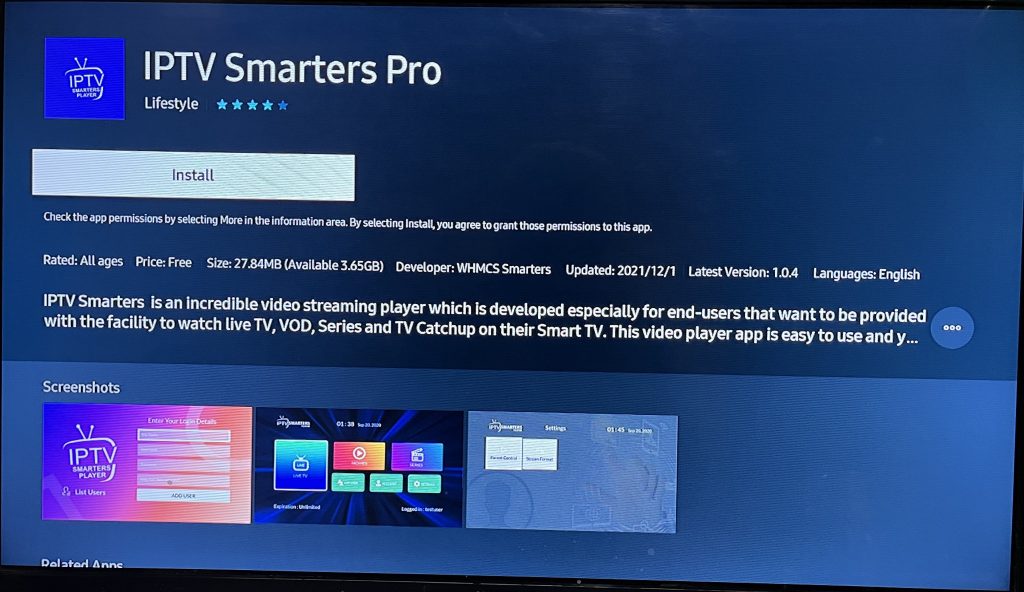
Samsung Smart TV
Tizen OS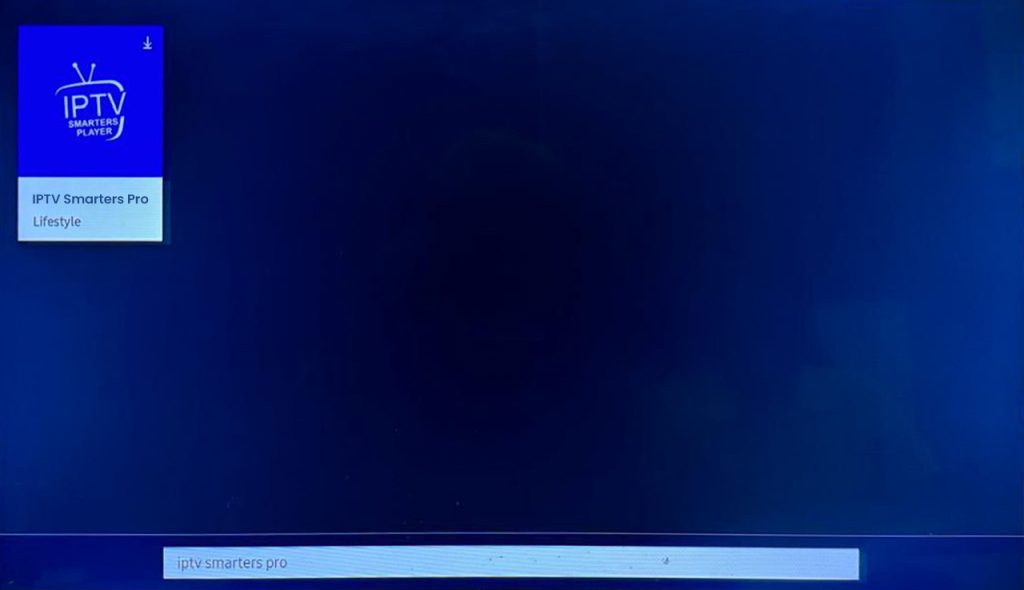
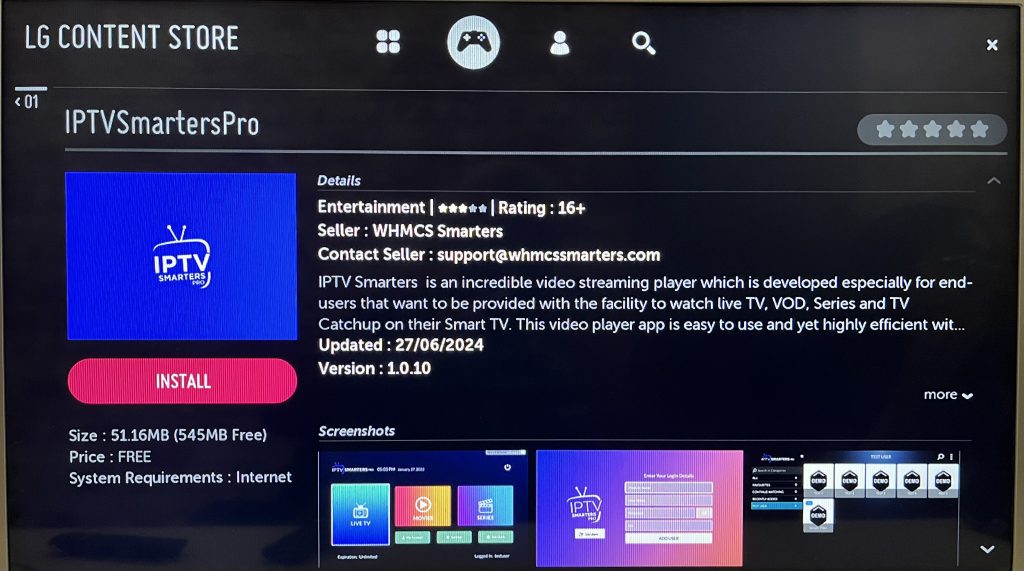
LG Smart TV
webOS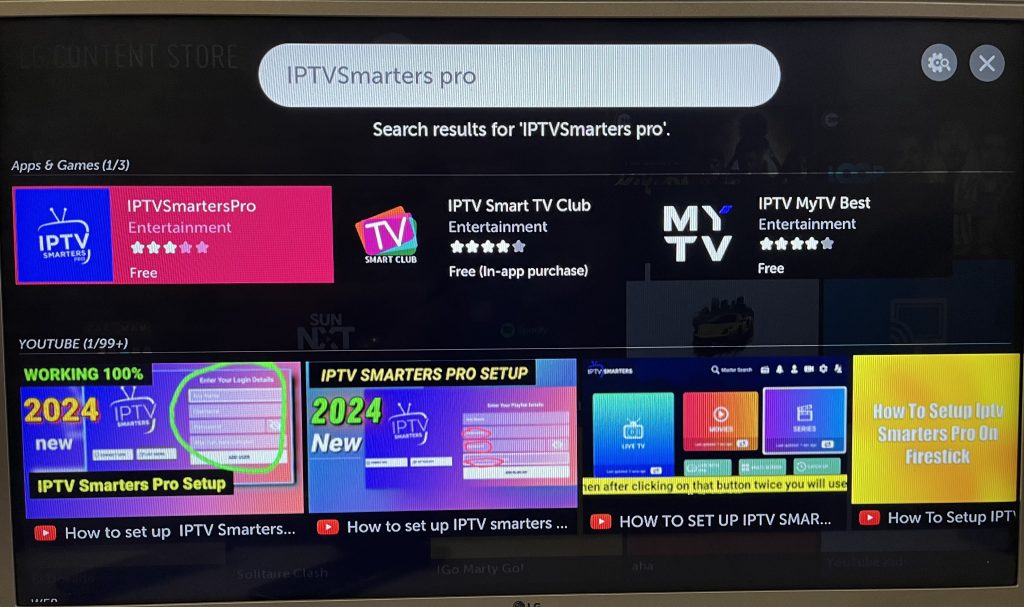
Fire TV Stick
Amazon Fire OS


IPTV on Apple hardware: one rule, three devices
Apple TV, Mac, iPhone and iPad are handled together here because they share one constraint: everything goes through the App Store. No manual installation is possible on tvOS or iOS, which makes getting started far simpler but leaves app availability entirely dependent on your region's catalogue.
The practical consequence is that the most common variable is not the hardware but the Apple Account region, followed by the system version. A box left several releases behind quietly loses catalogue entries with no explicit error message.
This site covers Apple hardware only. Amazon HDMI sticks, Samsung Tizen televisions and Android boxes have separate guides: on those platforms manual installation is the normal route, which makes any direct comparison misleading.
Why this guide never mentions a manual install
App Store, account region, system version and AirPlay — the four things that matter on Apple.
Running in minutes
Download the player from the App Store, then paste the credentials that arrive by email or WhatsApp after payment.
Reviewed, signed, sandboxed
Everything arrives through App Store review and runs inside Apple's sandbox, so no unknown installer ever needs approving.
Guidance on the fiddly bits
Account region, tvOS version, which player to pick: a person answers by email or WhatsApp, before and after ordering.
Living room to pocket
The same login can be re-entered on Apple TV, iPhone, iPad or Mac, one device at a time.
Updates handled by Apple
The player updates like any other App Store app, while the subscription itself only renews when you order again.
Up to 4K, hardware permitting
Recent Apple hardware can carry 4K, always subject to the source, the connection speed and the device itself.
What a fully locked Apple environment changes for you
App Store only, account region, AirPlay between devices: the rules Apple sets.
On Apple, everything comes through the App Store
Apple permits no app installation outside the App Store on tvOS, and the same logic governs iPhone and iPad. There is no file to load, no alternative store, no hidden shortcut: this is a genuine constraint rather than an obstacle to work around. In practice you pick a player already published on the store, then enter your credentials inside it. IPTV Smarters Pro and IBO are among the apps present on Apple platforms.
Your Apple ID region decides what you can see
The App Store does not show the same catalogue everywhere: an app can exist in one country and stay unfindable in another. When a player refuses to appear in your searches, the region tied to your Apple ID is often the reason, before the tvOS version is even worth checking. Keep the Apple TV updated too, since older system versions quietly exclude some newer applications.
AirPlay across your devices, and billing that never renews itself
AirPlay links your Apple devices together: what you start on an iPhone or a Mac can be sent to the Apple TV in the living room, handy when you set your configuration up at a desk first. On macOS the computer screen becomes a full viewing station; on iPhone, watch how much mobile data a long session uses. Our renewal is manual, with no automatic charge, unlike a self-renewing App Store subscription.
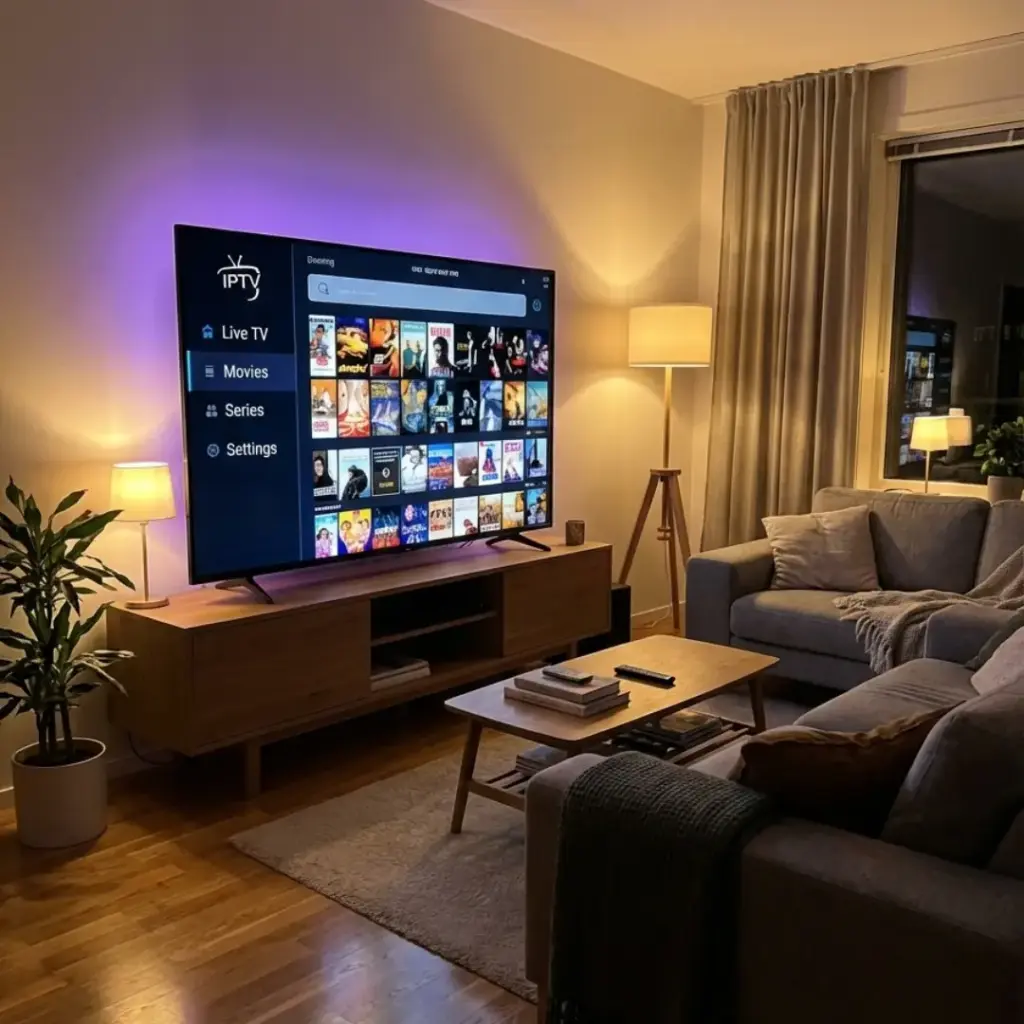
40 000+ Channels and 150 000+ VOD Titles
The most complete catalogue on the UK IPTV market, organised into themed packages.
Every free-to-air and premium British channel in HD, digital terrestrial television included.
Live international sport packages: football, motorsport, tennis, rugby, basketball and more.
Recent films, popular series and documentaries in English, in the original language and with subtitles.
Arabic, Moroccan, Turkish, African, British, American, Spanish and plenty more besides.
Channels made for children and cartoons. Content suitable for every age.
Radio stations from around the world, music channels and podcasts streaming around the clock.
Gaming content, e-sport and technology news as it happens.
Rolling news channels, British and international, 24 hours a day.
Every Sport Live with Our IPTV Subscription UK
OurIPTV Smarters Prosubscription brings your live TV, sport and VOD access together in one app that takes minutes to set up. Never miss another football match, motor race, rugby game or tennis tie. All the big international competitions are there live, in HD and 4K.
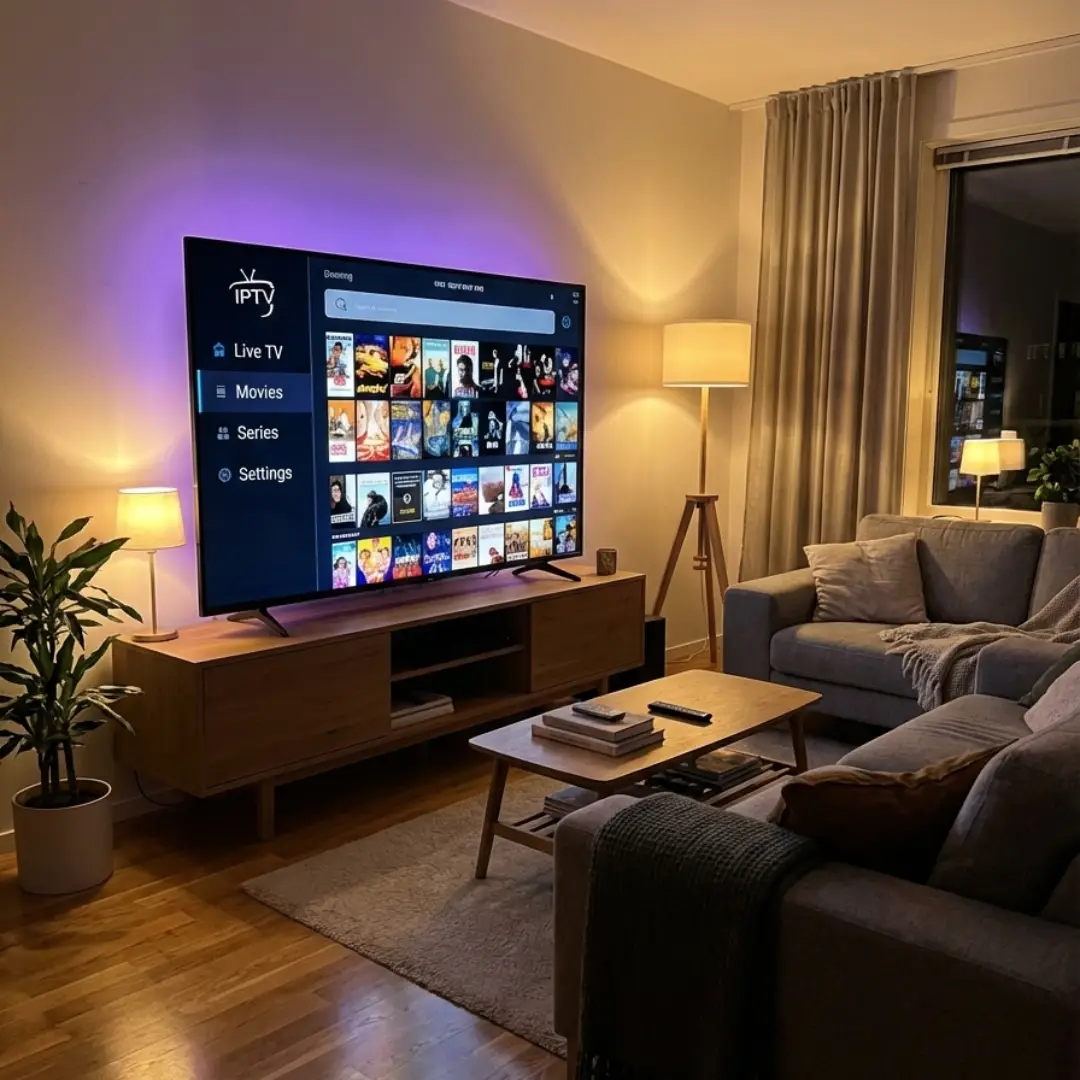
Three steps in the Apple ecosystem
Check the store region
A player only shows up in the App Store fronts where it has been published, so confirm your Apple account country and the installed tvOS or iOS version first.
Choose a term and pay
One, three, six or twelve months, from 9.99 to 39.99 EUR, which is 3.33 monthly over a year, paid by card, Apple Pay, Google Pay, Link, BTC or USDT.
Install and sign in
The App Store is the only route, since tvOS permits no sideloading at all; open IPTV Smarters Pro or IBO and enter the Xtream host and login.
What Our Customers Say on WhatsApp
Real conversations with our subscribers — quality and service, in their own words.



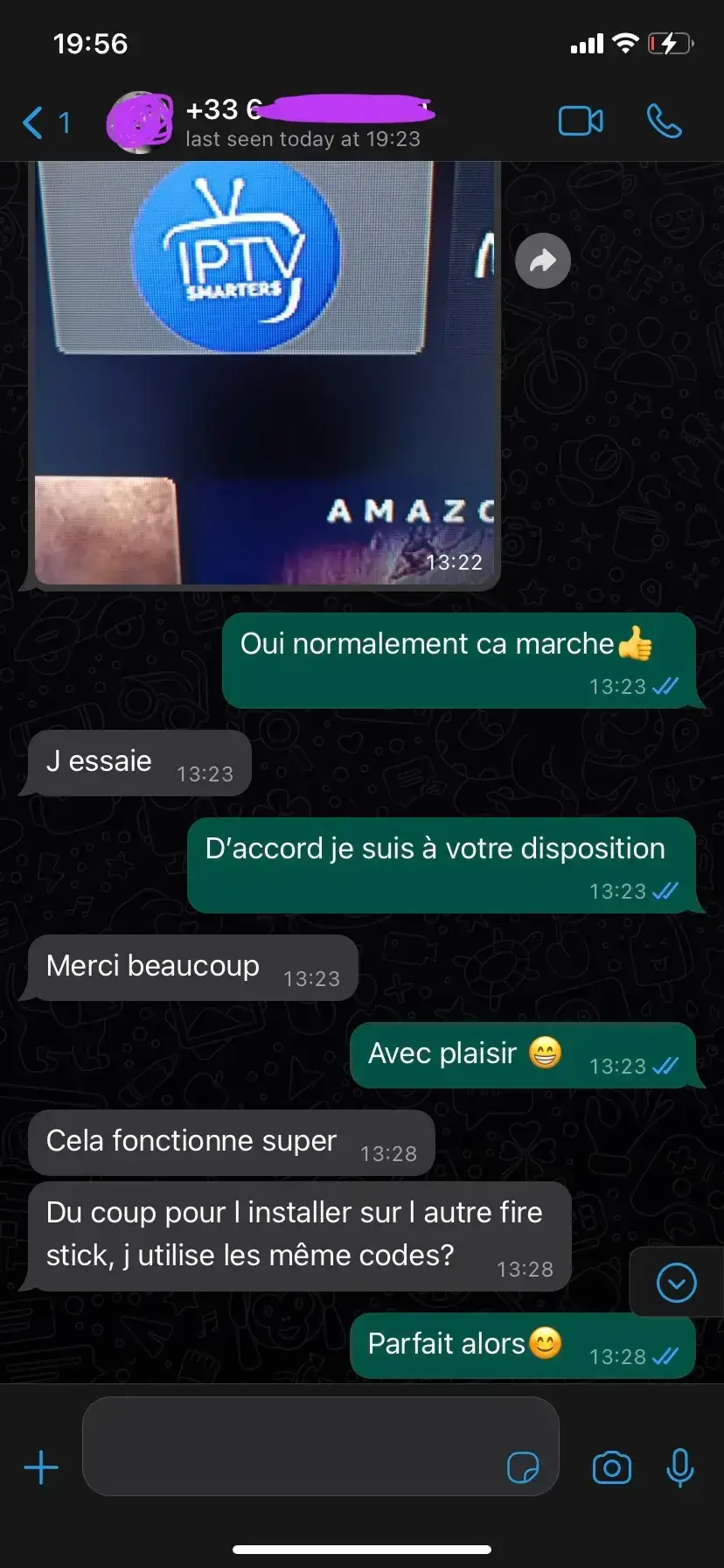
Subscribers we have helped set up IPTV Smarters Pro
Order on WhatsAppIPTV Smarters Pro vs. The Rest
Why we set the standard among IPTV providers UK buyers shortlist in 2026.
Secure Payment & A Service That Holds Up
Your payment is processed byStripe— one of the most secure payment platforms in the world. Card, Apple Pay, Google Pay, Link and Amazon Pay are all accepted, and you can pay in BTC or USDT if you prefer crypto. Your card details are never stored on our servers. Once your order has been confirmed and delivered it is final — no refunds are possible.
Dependable Service
A stable service with responsive support.
IPTV on Apple TV, macOS and iOS: setup and the quirks of a closed ecosystem
What a walled environment means device by device, from the living room to the commute.
Why the Apple ecosystem allows only one method
IPTV (Internet Protocol Television) is a way of delivering television over the internet, and it has changed how households across the UK watch TV. Unlike digital terrestrial television, satellite or cable,IPTV Smarters Prouses your broadband connection to bring live streams in high definition straight to every connected device you already own.
On tvOS and iOS an app can only be installed from the official App Store. There is no installer file to download, no unknown-sources setting and no third-party utility that gets around it. That removes a whole category of steps — and of problems — found elsewhere, but it moves the question somewhere else: what limits an Apple device is never the installation method, it is whether the app is listed in your region's catalogue and which system version the device is running. macOS is the one partial exception, since a player there can also be installed from its developer's own site.
Apple TV, Mac or iPhone: which to use for what
There is exactly one way in, which is oddly relieving. An IPTV subscription for Apple TV and iPhone is configured entirely through the App Store and the account behind it, with no third-party source and no hidden setting to change. What that means in practice is set out below:
How do you install IPTV Smarters Pro?
Download the app from your device's official store (Google Play, App Store, Amazon, Tizen Store).
Open the app and select “Login with Xtream Codes” or “Add playlist”.
Enter your credentials: server URL, username and password.
Give it 1 to 2 minutes to load your channels.
Enjoy your 40 000+ channels straight away!
Our support team will walk you through it step by step. Have a look at our setup guide.
The IPTV subscriptions available
Every plan includes exactly the same premium features: 40 000+ channels, 150 000+ VOD titles, 4K quality, EPG, Catch-up TV and support.
IPTV and the law in the UK
It is important to tell lawful IPTV services apart from unlicensed ones. Alegal IPTV subscriptionmeans the provider holds the broadcasting rights to the content it offers, or that the viewer is accessing authorised content (free-to-air terrestrial channels, royalty-free material and so on). We would always encourage you to check that your own use is lawful.
The internet connection you need
Here are the speeds we recommend for watchingIPTV Smarters Procomfortably:
The vast majority of UK connections (fibre, ADSL, 4G and 5G) are comfortably fast enough. Our adaptive compression adjusts the quality automatically to match the bandwidth you actually have — which is why an IPTV firestick setup on ordinary home broadband still looks good.
Common questions about IPTV on Apple hardware
App Store, tvOS, Mac, iPhone, AirPlay and data usage.
Install from the App Store
then activate your access
Credentials that work on tvOS, macOS and iOS, with help if the app is unavailable in your region.
Get started with IPTV Smarters Pro today
Choose an IPTV Smarters Pro plan, receive your login details and follow the setup guide for your device. The 12-month subscription at39.99€works out at3.33€ per month.
What this Apple guide covers
- 1 screen included with every subscription
- IPTV access compatible with IPTV Smarters Pro
- Live TV channels, sports, cinema and international content
- Films and series on demand, depending on your active plan
- SD/HD/FHD/4K quality depending on source, bandwidth and device
- EPG TV guide where available
- Setup help for Xtream Codes and M3U
- Works with IPTV Smarters Pro, TiviMate and IBO
- M3U, Xtream Codes, MAG and Enigma formats supported
- Smart TV, Android, iOS, Fire TV Stick and PC
- English-speaking technical support